
The warning comes at the worst time
Mid-export, mid-build, mid-update. You start deleting random things just to get unstuck.



Clearbay finds what's filling your disk, then lets you choose for every item: Remove it to the Trash, Keep it, or Offload it to your external drive or cloud with a verified copy and one-click restore.

What Clearbay finds on a typical Mac
Mid-export, mid-build, mid-update. You start deleting random things just to get unstuck.

“System Data”, caches, Library folders. Delete the wrong one and something breaks.

That 40 GB video project or AI model isn't junk. You just don't need it on your Mac today.
Clearbay adds the missing option: move it off your Mac safely, and bring it back with one click.
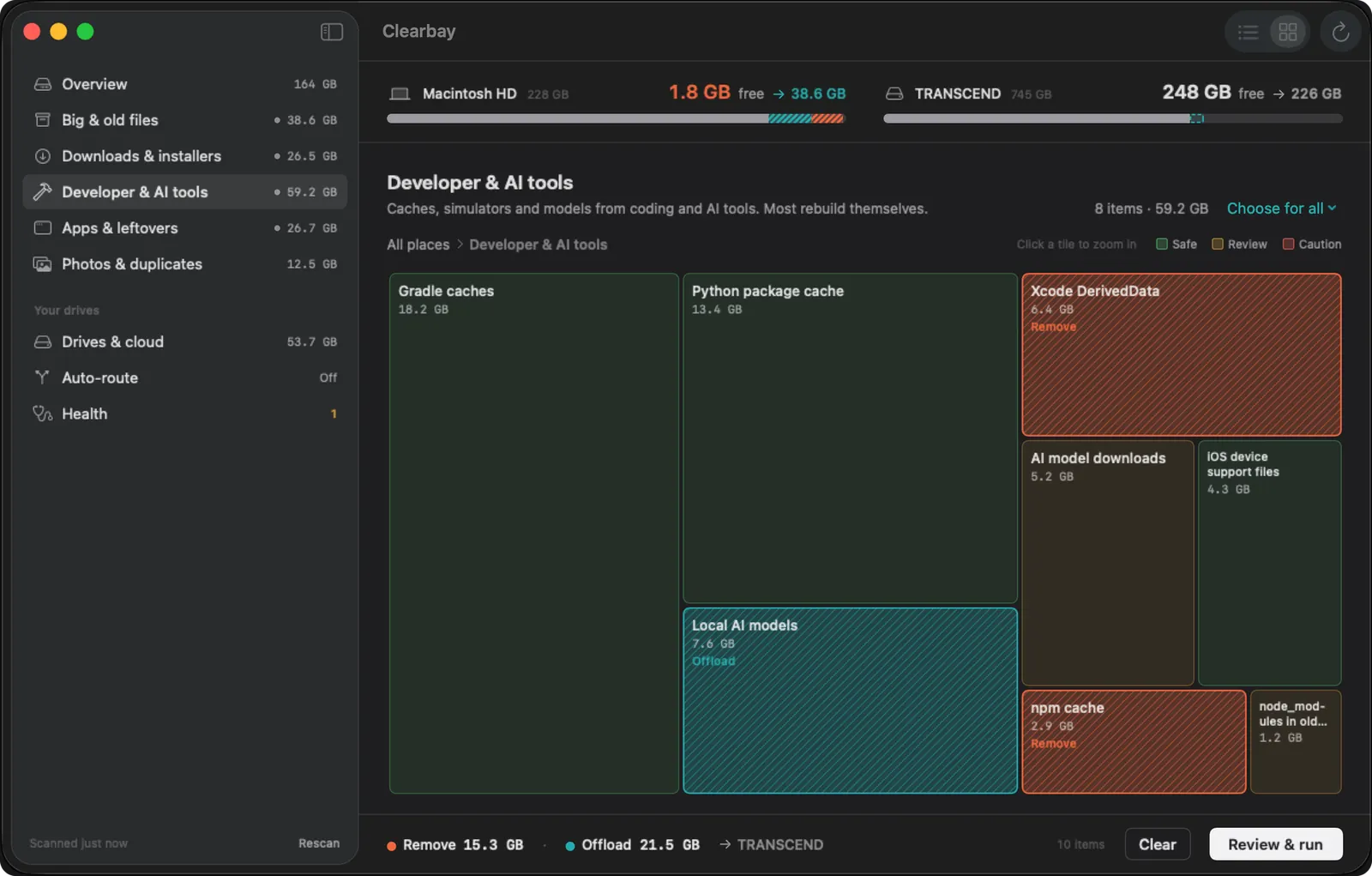
One scan sorts everything into plain places, from Forgotten Giants to Download Drift and Code Dust, or explore it all as a map you can click into.
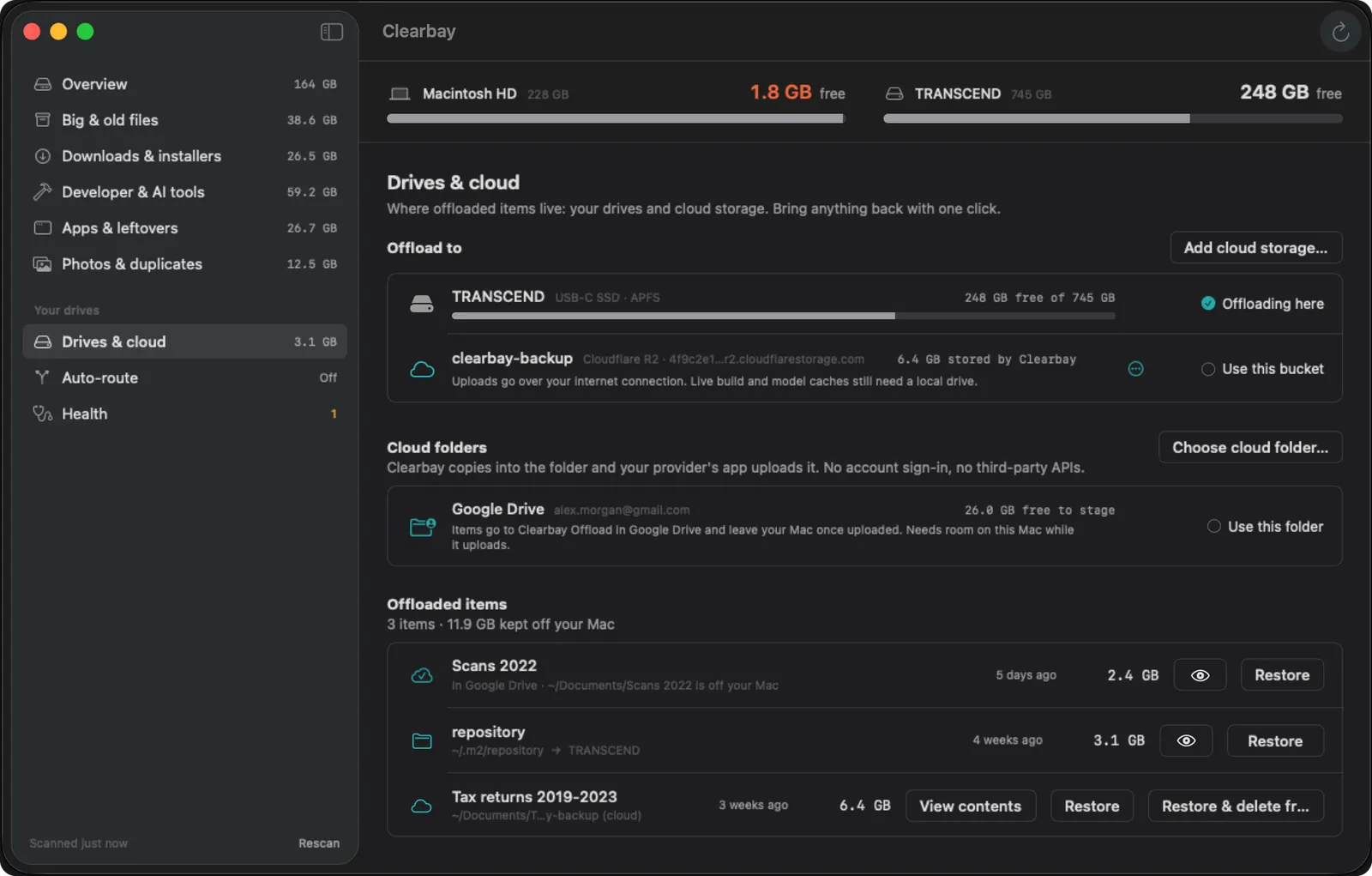
Clearbay copies the item to your drive or cloud, checks the copy, and only then frees space on your Mac. Need it back? One click.
Built-in rules label every item. Unsure? Click Explain.

New AirDrop files, downloads and screenshots go straight to your drive while it's connected.

Matched by content, not just name. Photo bursts grouped, best one kept.

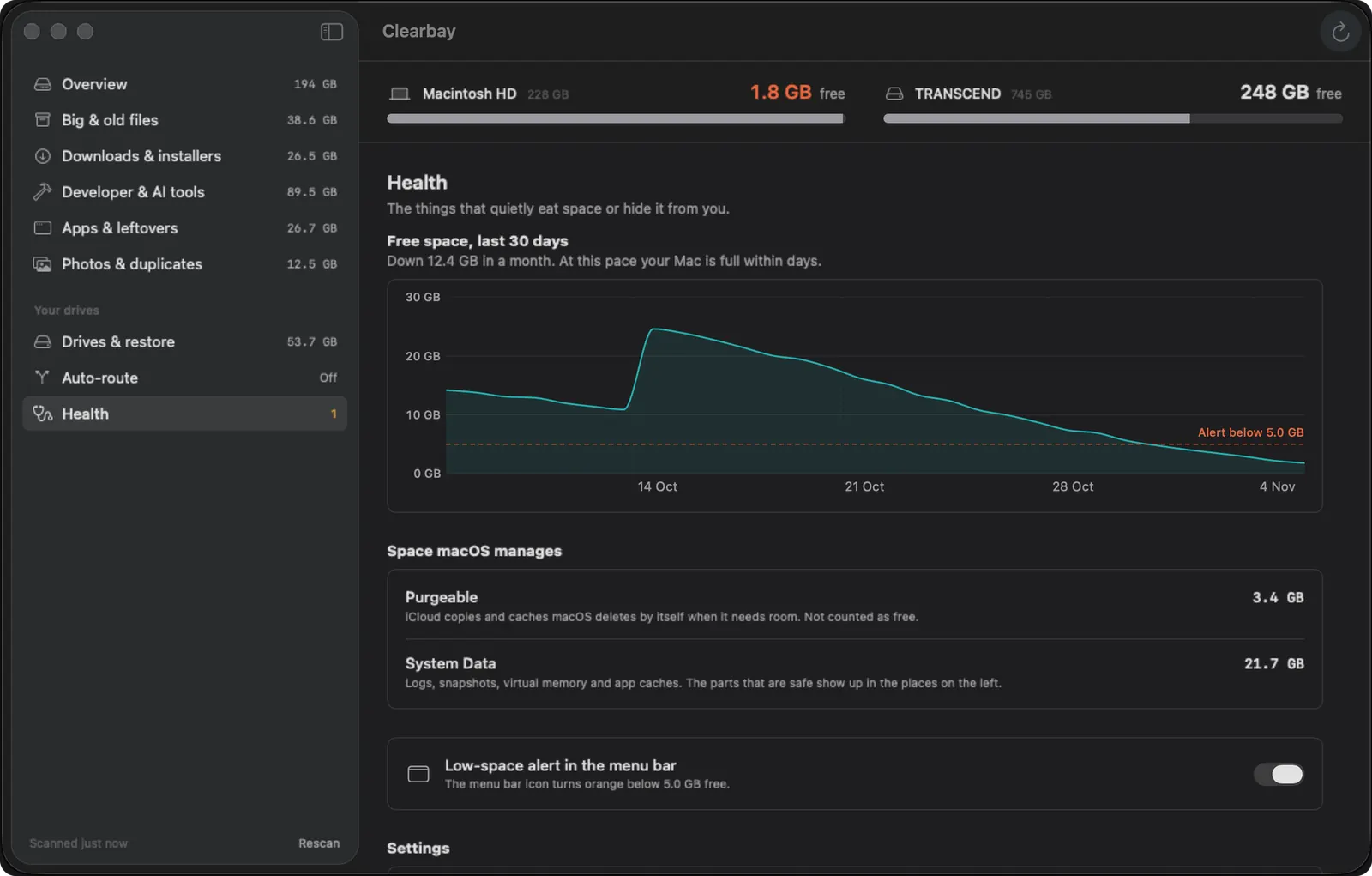
A daily free-space history shows how fast your disk fills, “purgeable” and “System Data” explained in plain words, and a menu-bar alert before it's too late.

No account, no tracking. Reads names and sizes, never contents.
Clearbay measures your Downloads and the folders you grant, such as Home and Applications, in seconds. It never opens your documents.
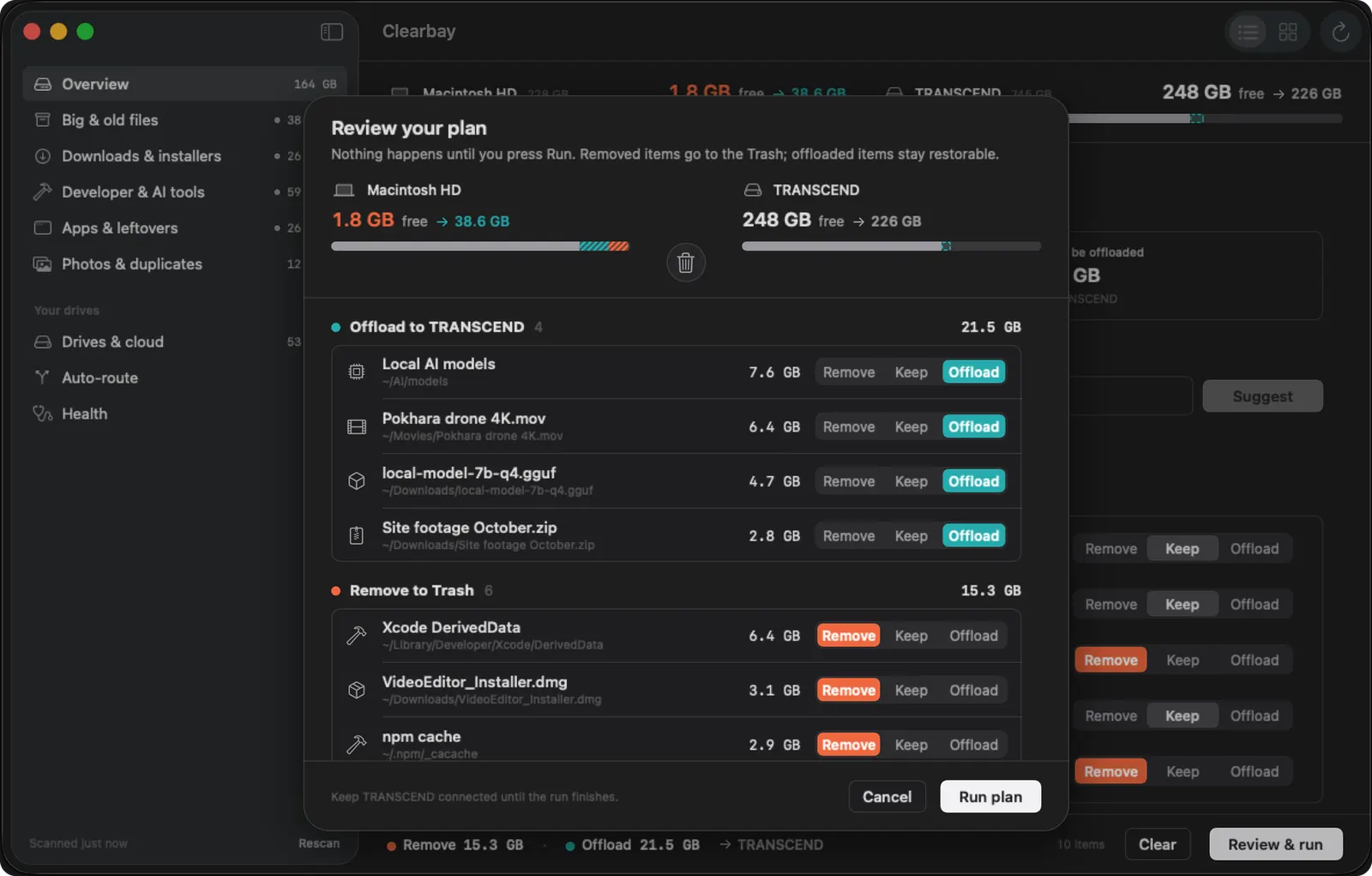
Remove, Keep or Offload, item by item. Keep is always the default, and Clearbay can suggest a plan using only items its rules allow.
Review the whole plan on one screen, like “Remove 14 GB · Offload 23 GB”, then click Run. Every run can be undone.
Light and dark mode, full keyboard control, Quick Look previews and VoiceOver labels.

Xcode DerivedData, Gradle, npm, uv, CocoaPods. Labelled Safe when tools rebuild them on their own.

Ollama, Hugging Face and LM Studio models are huge. Offload the ones you aren't using this week.

Final Cut libraries, raw footage and photo bursts move to your drive, verified and restorable.
Auto-Dock keeps Downloads and screenshots off your Mac, and the menu-bar alert warns you early.
Clearbay is built so the worst case is “I'll put that back”.
Offload checks file count and total size on the destination before freeing anything. If a step fails, the original stays put.
Remove moves items to the Trash, so you can change your mind until you empty it.
Every offloaded item is listed with a Restore button. Undo a whole run in one click.

Keep is the default for everything. Nothing happens until you look at the plan and click Run.
Safe, Review and Caution labels come from built-in rules. AI only explains, and never picks items for you.
System folders, Keychains, Mail, Messages, the Photos library and .git folders are never touched.
Start free. Upgrade once if you want more. No subscription, no account.
Useful on its own, not a trial.
Everything, forever. Use it on up to 3 Macs.
Secure checkout by Stripe. Unlocks the moment you install Clearbay from the Mac App Store, no licence key.
Buy Pro here on clearbay.app (sold by Bisai Technologies, LLC, payments by Stripe, 30-day refunds) or as an in-app purchase in the Mac App Store app (sold by Apple; the App Store shows the price for your country). Either way you sign in once and Pro is yours.
Only if you choose Remove, and then it moves the item to the Trash so you can put it back. Offload copies the item to your drive or cloud, checks the copy, then frees the space. Nothing happens until you review the plan and click Run.
Your offloaded items stay safe on the drive. Clearbay shows which drive holds each item, and you can restore it the next time you connect. Auto-Dock waits too: new files stay on your Mac until the drive is back.
No. Clearbay comes from the Mac App Store and runs in Apple's sandbox. Downloads works right away; grant your Home or Applications folder with one click each in a standard macOS folder picker.
No and no. Built-in rules set every safety label on any Mac. On Macs with Apple Intelligence, explanations run on-device, so nothing about your files leaves your Mac. You can turn AI off in Settings.
Yes. Gradle, npm, uv and Xcode rebuild their caches on their own. If you'd rather not wait, restore the offloaded copy with one click.
No. The free version stays free. Clearbay Pro is a one-time in-app purchase on the Mac App Store.
macOS 14 Sonoma or later. On-device AI explanations need Apple Intelligence (macOS 26 on a supported Mac); everything else works without it.
One email the day Clearbay launches, with the launch-week price. No spam.